See what matters, and keep the data clean
Conditional formatting colours cells by their values so trends and problems stand out. Data validation keeps entries in shape with dropdown lists, checkboxes and rules, with a clear message when something does not fit.
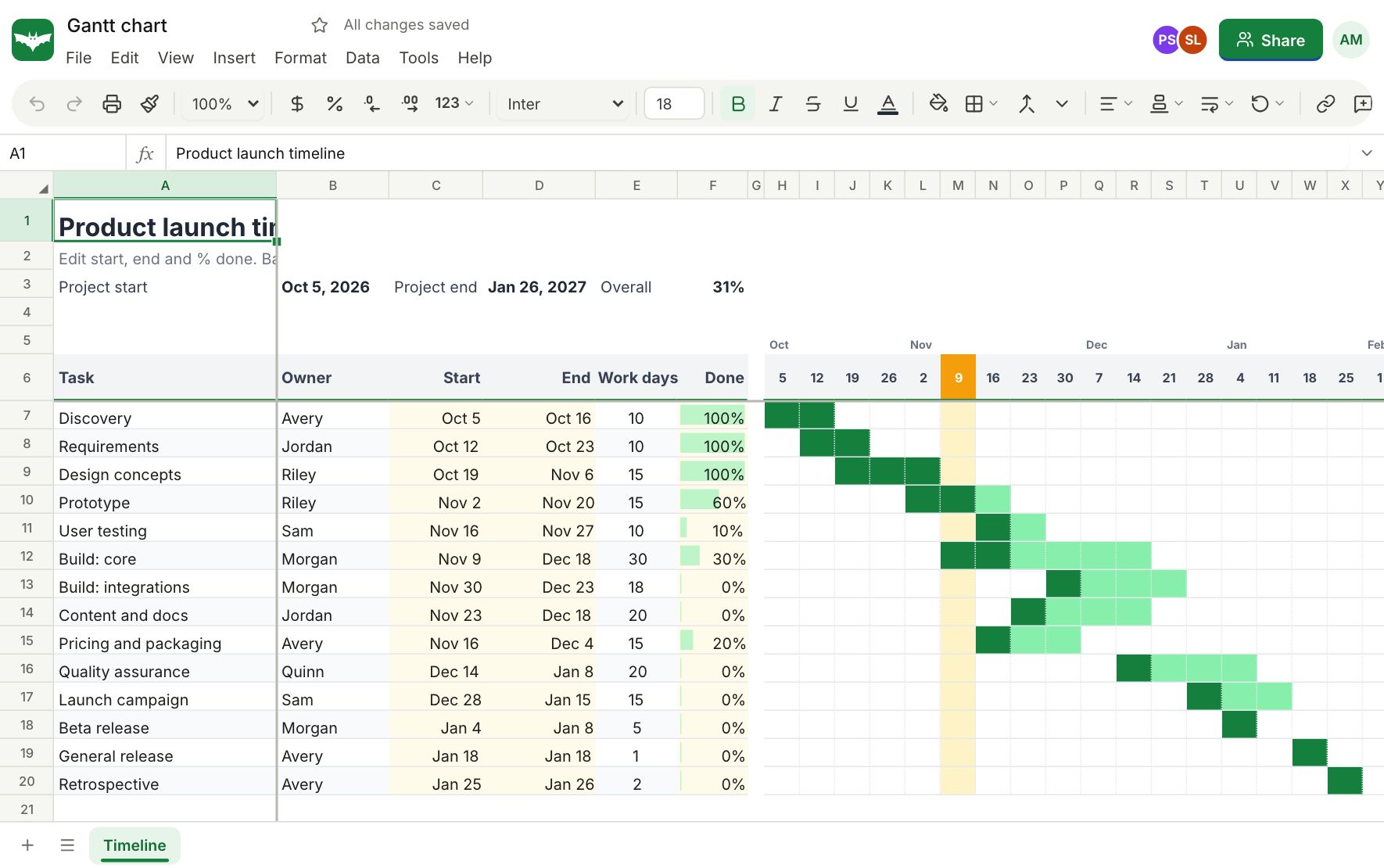
Conditional formatting
Add as many rules as you need and set their order.
- Greater than, less than, between, equal to and text rules
- Top and bottom values, above or below average, duplicates and unique values
- Dates in a period, like this week or last month
- Colour scales, data bars and icon sets
- Custom formulas for anything else
Data validation
Decide what a cell accepts and what happens when someone types something else.
- Dropdown lists from items or from a range, with coloured chips
- Checkboxes that store TRUE and FALSE
- Whole numbers, decimals, dates, times and text length
- Custom formula rules with your own error message
Works with everything else
Rules follow the cells when you insert rows or copy and paste, and they are kept when you download the workbook as .xlsx.
Questions about conditional formatting
Can I use a formula in a conditional format?
Yes. Choose Custom formula and write any formula that returns TRUE or FALSE for the top left cell of the range.
How do I add a dropdown to a cell?
Select the cells, choose Data, Data validation, pick List and enter the items or a range. You can give each item its own colour.
Can I add checkboxes?
Yes. A checkbox cell stores TRUE or FALSE, so formulas like COUNTIF can count the ticked boxes.
Are rules kept in Excel files?
Yes. Conditional formats and validation rules are saved in the .xlsx file and imported from it.
What happens when someone types an invalid value?
You choose: reject it with a message, warn but allow it, or just show information.
Keep exploring
- ChartsColumn, line, pie, combo, scatter, waterfall, funnel, treemap and more. Charts sit on the sheet, update as numbers change and export with the workbook.
- TemplatesStart from a ready made budget, invoice, loan schedule, Gantt chart, dashboard or tracker. Every template is free, with working formulas and charts.
- FormulasWrite formulas the way you already know: XLOOKUP, FILTER, SUMIFS, LET, LAMBDA and 536 functions in all, with spilling arrays, tables and named ranges.
See it for yourself
Open a blank sheet or a template. No account needed to try it.