One workbook, everyone in it at once
Invite people or share a link, and edit the same workbook together. You see each other's selections as you work, talk in comment threads on cells, and can go back to any earlier version.
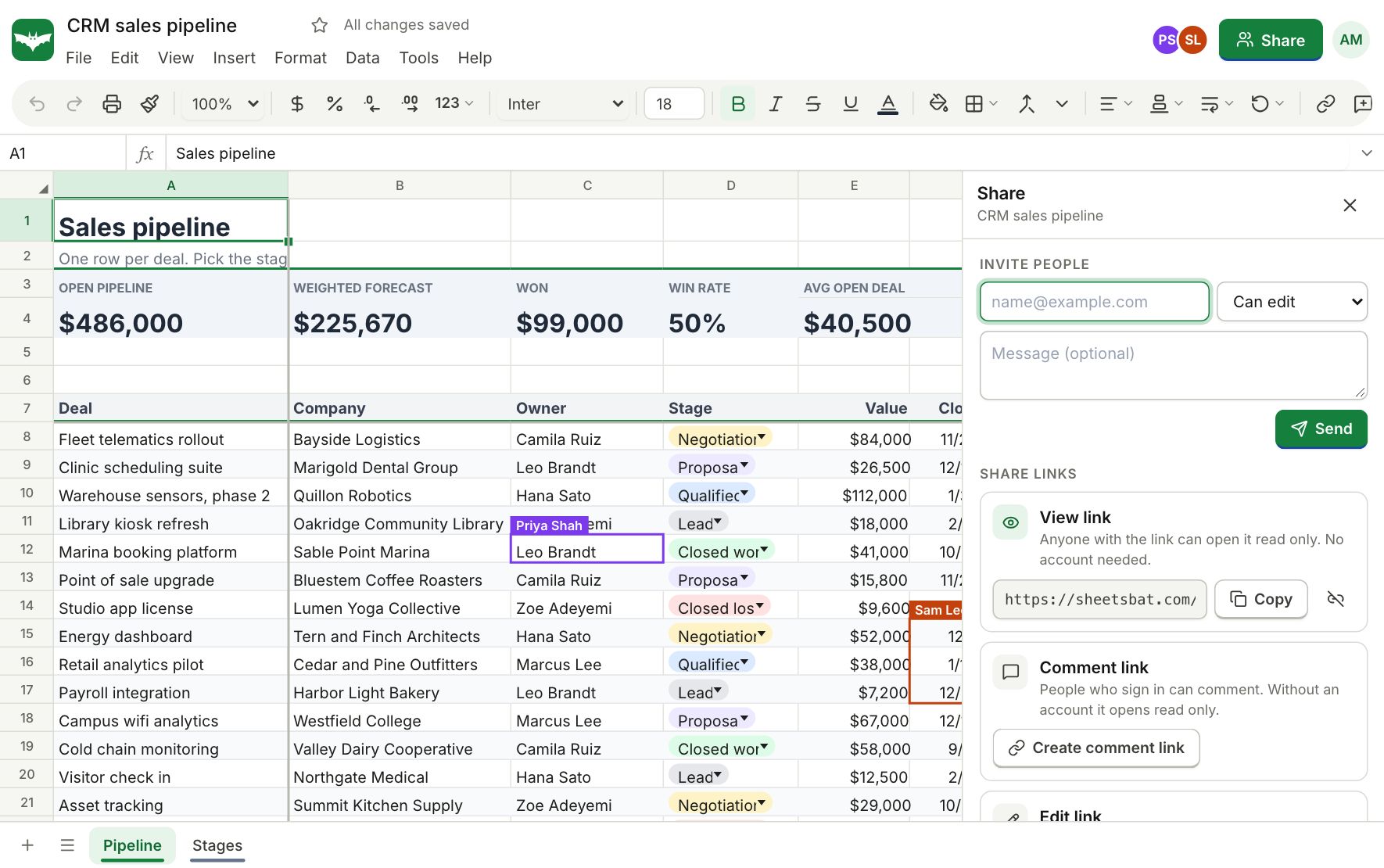
Real time editing
Changes appear for everyone within moments. Each person has their own colour, so you can see which cells others have selected.
Share with the right role
Give each person, or each link, the role that fits.
- Viewer: can read and download
- Commenter: can read and add comments
- Editor: can change cells, sheets and settings
- Turn a link off at any time and it stops working right away
Comments and notes
Start a thread on any cell, reply, and resolve it when it is done. Notes stay as simple sticky text for things that do not need a conversation.
Version history
SheetsBat saves versions as you work. Name the important ones, preview any version and restore it if you need to. Free keeps 7 days of history and Pro keeps a full year.
Questions about collaboration
How many people can I share a workbook with?
Free workbooks can have up to 3 collaborators, and Pro, Business and Enterprise raise that to 100 per workbook. Members and pending invitations count; the owner does not. Anyone can still open a view link read only.
Do people need an account to view a shared workbook?
Anyone with a view link can open it in the browser. To edit or comment, people sign in with a free OfficeBats account.
Can two people edit the same cell?
Yes. The last change wins and the other person sees it right away, so nobody overwrites a whole sheet by accident.
How long is version history kept?
7 days on Free and 365 days on Pro and Business.
Can I stop sharing?
Yes. Remove a person or turn a link off and access ends immediately.
Keep exploring
- OfficeBats DriveKeep spreadsheets, documents and PDFs in one OfficeBats Drive shared by every Bats app. Open files from it in SheetsBat and save copies back with one click.
- Works on phonesA spreadsheet editor built for touch: pinch to zoom, tap to edit, panels that slide up from the bottom, and the same workbooks on your phone, tablet and desktop.
- TemplatesStart from a ready made budget, invoice, loan schedule, Gantt chart, dashboard or tracker. Every template is free, with working formulas and charts.
See it for yourself
Open a blank sheet or a template. No account needed to try it.