Projects template
Project tracker
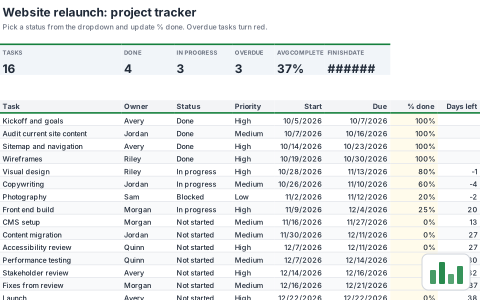
Track every task with an owner, status, priority and due date. Overdue work turns red and the summary counts update as you go.
- Free
- No account needed to try
- Download as .xlsx
What's inside
Everything is a normal workbook once you open it: change the numbers, rename the sheets and make it yours.
1 sheet
- Tracker
42 formulasTotals, lookups and checks are already worked out, so the sheet updates as you type. 177 filled cells in all.
Built in
- Charts
- Conditional formatting
- Dropdowns
- Live dates
- Frozen headers
- 1 chart
A look at the Tracker sheet
The top left of the first sheet, calculated by SheetsBat. Open the template to see all of it.
| A | B | C | D | E | F | G | H | |
|---|---|---|---|---|---|---|---|---|
| 1 | Website relaunch: project tracker | |||||||
| 2 | Pick a status from the dropdown and update % done. Overdue tasks turn red. | |||||||
| 3 | ||||||||
| 4 | TASKS | DONE | IN PROGRESS | OVERDUE | AVG COMPLETE | FINISH DATE | ||
| 5 | 16 | 4 | 3 | 3 | 37% | Jan 12, 2027 | ||
| 6 | ||||||||
| 7 | ||||||||
| 8 | Task | Owner | Status | Priority | Start | Due | % done | Days left |
| 9 | Kickoff and goals | Avery | Done | High | 10/5/2026 | 10/7/2026 | 100% | |
| 10 | Audit current site content | Jordan | Done | Medium | 10/7/2026 | 10/16/2026 | 100% | |
| 11 | Sitemap and navigation | Avery | Done | High | 10/14/2026 | 10/23/2026 | 100% | |
| 12 | Wireframes | Riley | Done | High | 10/19/2026 | 10/30/2026 | 100% | |
- project
- tasks
- status
- deadlines
- team
More projects templates
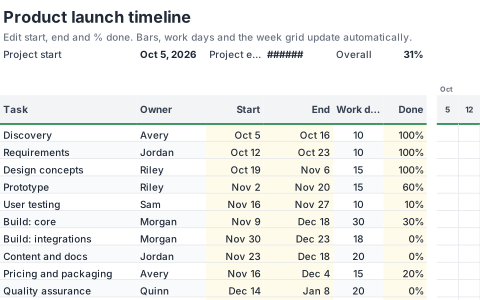 ProjectsGantt chartA weekly timeline where bars draw themselves from each task start and end date. The current week is highlighted and progress shades the bar.
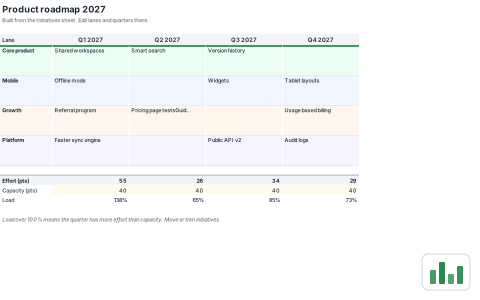 ProjectsProduct roadmapList initiatives once and see them laid out by lane and quarter on a board that builds itself. Capacity checks flag quarters that are overbooked.
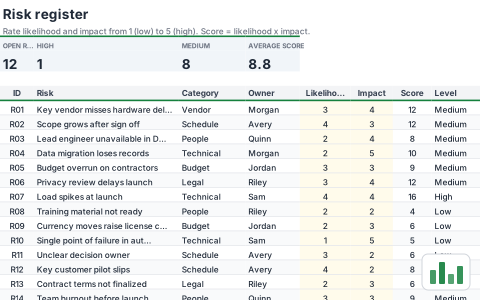 ProjectsRisk registerScore each risk by likelihood and impact, assign an owner and a response. A 5 by 5 heat map counts where the risks sit.
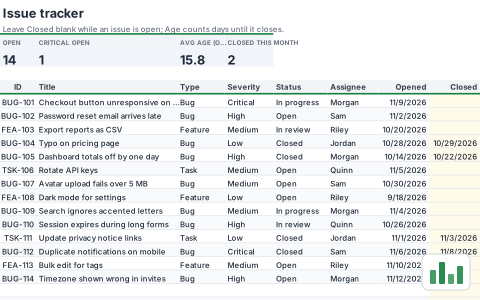 ProjectsIssue and bug trackerLog bugs and requests with severity, status and assignee. Ages count up live and a summary matrix shows open work by severity.
Start your project tracker now
It opens in your browser in a second. Create a free account to save it, share it and open it anywhere.