Finance template
Debt payoff planner
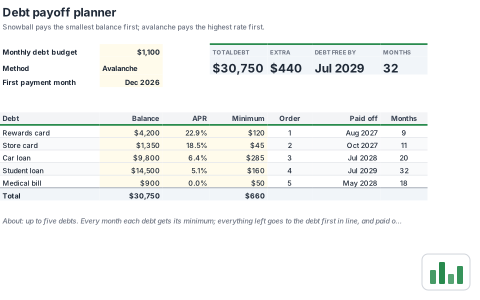
Choose the snowball or avalanche method and see the order, month and date each debt is paid off. A 60 month schedule rolls freed up payments into the next debt.
- Free
- No account needed to try
- Download as .xlsx
What's inside
Everything is a normal workbook once you open it: change the numbers, rename the sheets and make it yours.
2 sheets
- Plan
- Payoff schedule
467 formulasTotals, lookups and checks are already worked out, so the sheet updates as you type. 578 filled cells in all.
Built in
- Charts
- Conditional formatting
- Dropdowns
- Named ranges
- Frozen headers
- 1 chart
A look at the Plan sheet
The top left of the first sheet, calculated by SheetsBat. Open the template to see all of it.
| A | B | C | D | E | F | G | H | |
|---|---|---|---|---|---|---|---|---|
| 1 | Debt payoff planner | |||||||
| 2 | Snowball pays the smallest balance first; avalanche pays the highest rate first. | |||||||
| 3 | ||||||||
| 4 | Monthly debt budget | $1,100 | TOTAL DEBT | EXTRA | DEBT FREE BY | MONTHS | ||
| 5 | Method | Avalanche | $30,750 | $440 | Jul 2029 | 32 | ||
| 6 | First payment month | Dec 2026 | ||||||
| 7 | ||||||||
| 8 | ||||||||
| 9 | Debt | Balance | APR | Minimum | Order | Paid off | Months | |
| 10 | Rewards card | $4,200 | 22.9% | $120 | 1 | Aug 2027 | 9 | |
| 11 | Store card | $1,350 | 18.5% | $45 | 2 | Oct 2027 | 11 | |
| 12 | Car loan | $9,800 | 6.4% | $285 | 3 | Jul 2028 | 20 | |
- debt
- snowball
- avalanche
- payoff
More finance templates
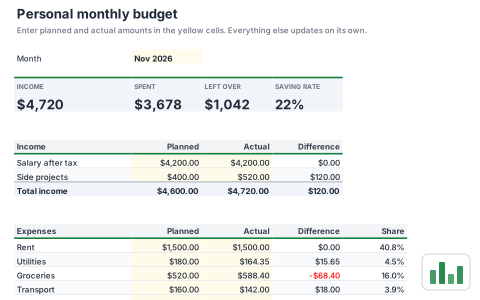 FinancePersonal monthly budgetPlan income and spending for the month and see what is left at a glance. Compare planned and actual amounts by category with a chart.
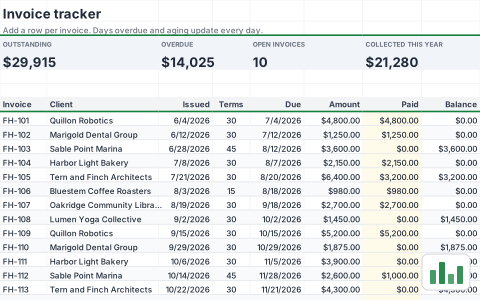 FinanceInvoice trackerTrack every invoice you send, what has been paid and what is overdue today. An aging summary groups open balances by how late they are.
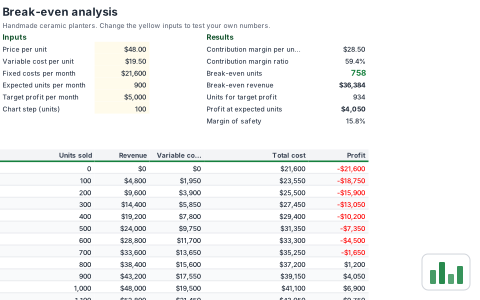 FinanceBreak-even analysisFind how many units you need to sell to cover fixed costs, and what it takes to hit a profit goal. A chart shows revenue crossing total cost.
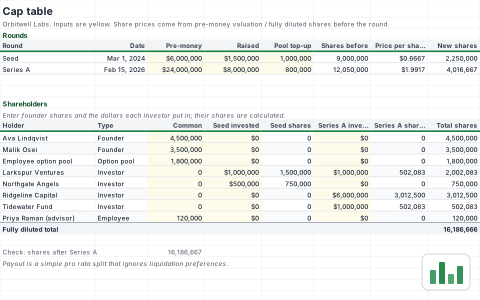 FinanceCap tableModel ownership through seed and Series A rounds with share prices worked out from each pre-money valuation. See fully diluted ownership and a simple payout at an exit value.
Start your debt payoff planner now
It opens in your browser in a second. Create a free account to save it, share it and open it anywhere.