Business template
Purchase order
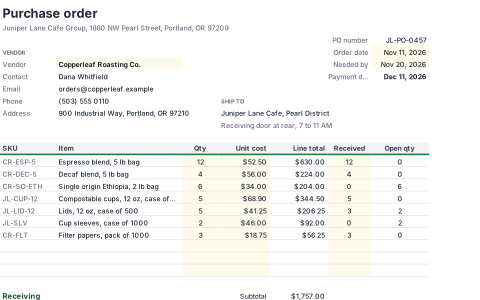
Create a purchase order by picking a vendor from your list; their contact details and payment terms fill in automatically. Track received and open quantities per line.
- Free
- No account needed to try
- Download as .xlsx
What's inside
Everything is a normal workbook once you open it: change the numbers, rename the sheets and make it yours.
2 sheets
- Purchase order
- Vendors
31 formulasTotals, lookups and checks are already worked out, so the sheet updates as you type. 142 filled cells in all.
Built in
- Print ready
- Conditional formatting
- Dropdowns
- Frozen headers
- 1 conditional format rule
- 1 validation rule
A look at the Purchase order sheet
The top left of the first sheet, calculated by SheetsBat. Open the template to see all of it.
| A | B | C | D | E | F | G | H | |
|---|---|---|---|---|---|---|---|---|
| 1 | Purchase order | |||||||
| 2 | Juniper Lane Cafe Group, 1880 NW Pearl Street, Portland, OR 97209 | |||||||
| 3 | PO number | JL-PO-0457 | ||||||
| 4 | VENDOR | Order date | Nov 11, 2026 | |||||
| 5 | Vendor | Copperleaf Roasting Co. | Needed by | Nov 20, 2026 | ||||
| 6 | Contact | Dana Whitfield | Payment due | Dec 11, 2026 | ||||
| 7 | [email protected] | |||||||
| 8 | Phone | (503) 555 0110 | SHIP TO | |||||
| 9 | Address | 900 Industrial Way, Portland, OR 97210 | Juniper Lane Cafe, Pearl District | |||||
| 10 | Receiving door at rear, 7 to 11 AM | |||||||
| 11 | ||||||||
| 12 | SKU | Item | Qty | Unit cost | Line total | Received | Open qty | |
- purchase order
- procurement
- vendors
- receiving
More business templates
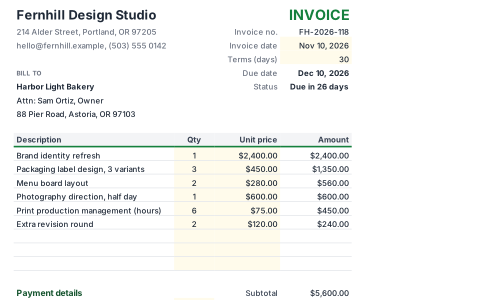 BusinessInvoiceA clean, printable invoice with line items, discount, tax and a due date worked out from your payment terms. The balance due updates as you type.
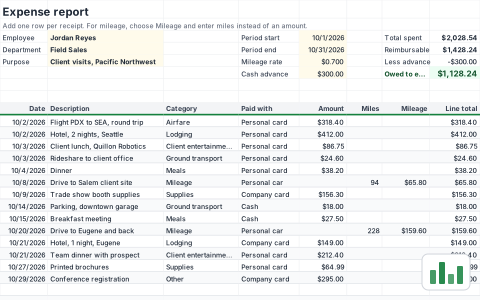 BusinessExpense reportLog business expenses and mileage for a period and see exactly what is owed back. Company card spending is tracked but not reimbursed.
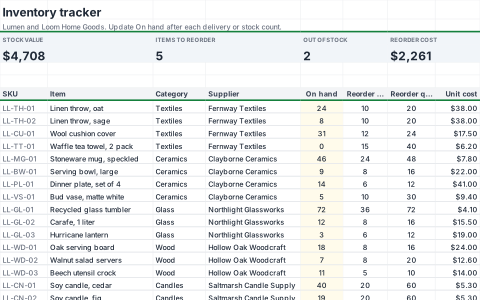 BusinessInventory trackerKeep stock levels, values and reorder points in one place. Items at or below their reorder point are highlighted and collected on a ready to send reorder list.
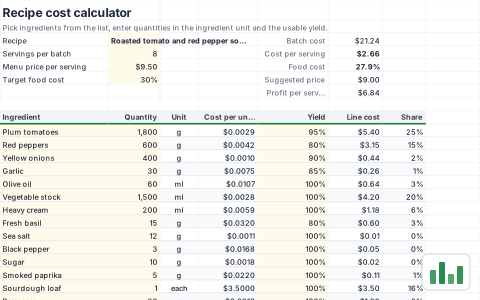 BusinessRecipe cost calculatorCost out a recipe from your ingredient price list, including trim and cooking loss. See the cost per serving, food cost percentage and a suggested menu price.
Start your purchase order now
It opens in your browser in a second. Create a free account to save it, share it and open it anywhere.